Product
Give every contractor their price, their account, and their statement, without the wait.
Keeping the regulars happy is incredibly important to an independent supply store. Rundoo allows your staff to look up items, charge contractors the right price, and keep their charge accounts and statements synced, all without making them wait. Rundoo makes it easy for you to make their lives easier.

Charge accounts, contractor pricing, payments and statements, and search across your whole store, all in one POS.
01Search
Search your whole store like Google
With global omni search you can find what you are looking for fast, saving you and your regular contractors time.
Explore the Web App & POS →"The big thing is the search engine is so much better. Your algorithm is more like Google. If I come close, it starts popping up."
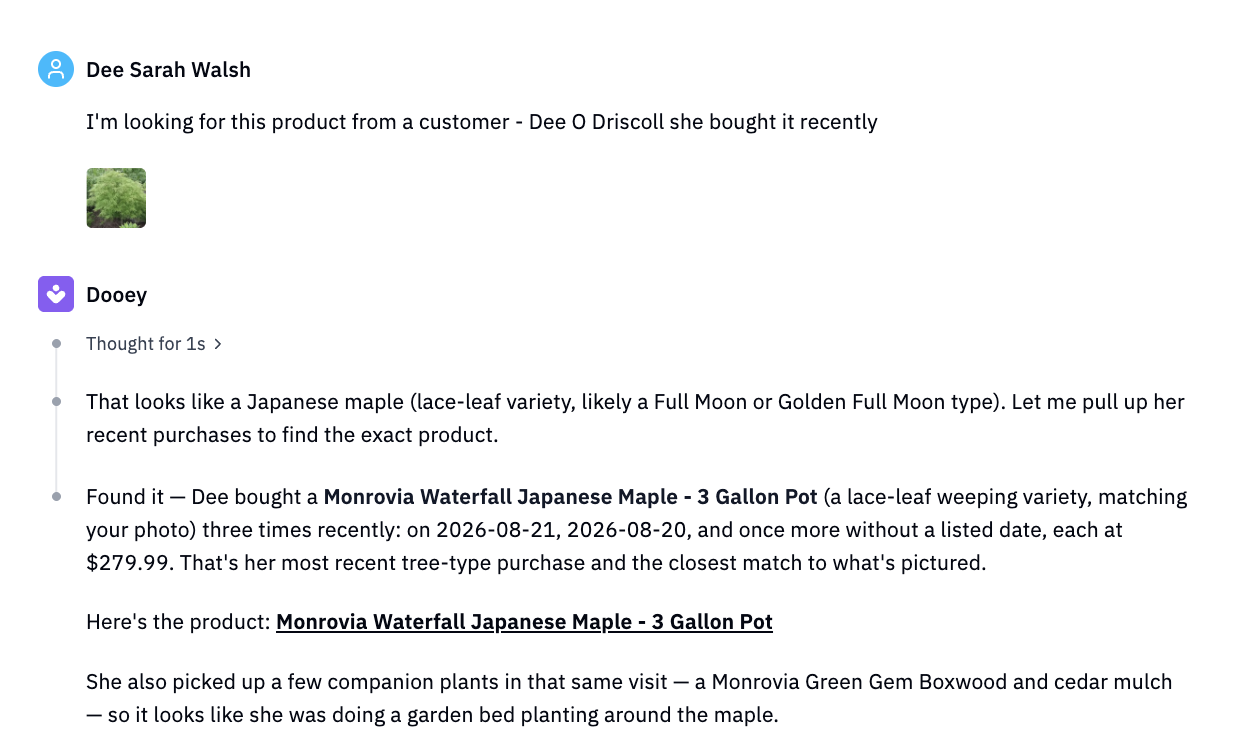
- Find any product fast, by name or a simple description. You can even snap a photo and let Dooey identify it, whichever gets the contractor to the right item first.
- Pull up a customer's purchase history in one search. The exact tint or part they bought last year is one lookup away.
- Open your store up to new customers, 24/7. The same catalog, wider reach.
02Charge accounts
Know every contractor's price
With all of a customer's details in one place - their pricing, their charge account, their purchase history - even a new hire can get your regulars in and out the same speed as a pro.
Explore the Staff App →"If a customer calls and wants to know a price, and I'm not here at the store, then I can just pull it up on my phone."
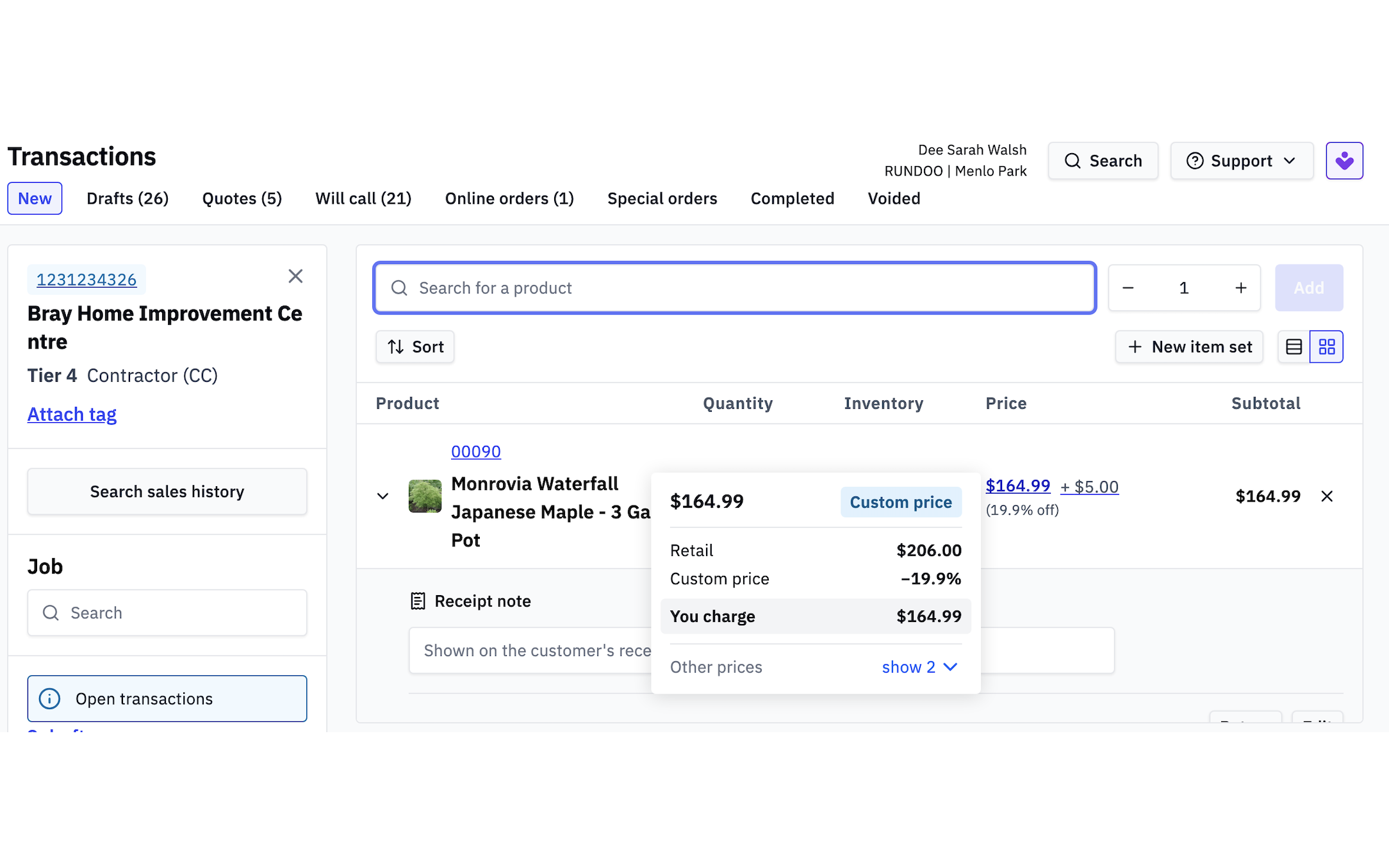
- Every customer's charge account, pricing, and history in one place. Balance, tier, and past purchases on one screen at checkout.
- New staff still know every contractor's pricing and past purchases. The register carries what used to live only in the owner's head, at the counter or on the Staff App anywhere in the store.
- Fast, personal service at the checkout counter. "Hey Jerry, same order as last time?" with the price already right.
03Payments and statements
Send every statement automatically
Invoices update as soon as a transaction is processed and monthly statements generate on their own.
"This simplifies our receivables. All of that used to get processed at a register, and anybody who paid by invoice we had to tie out in back office. This is all in one spot."
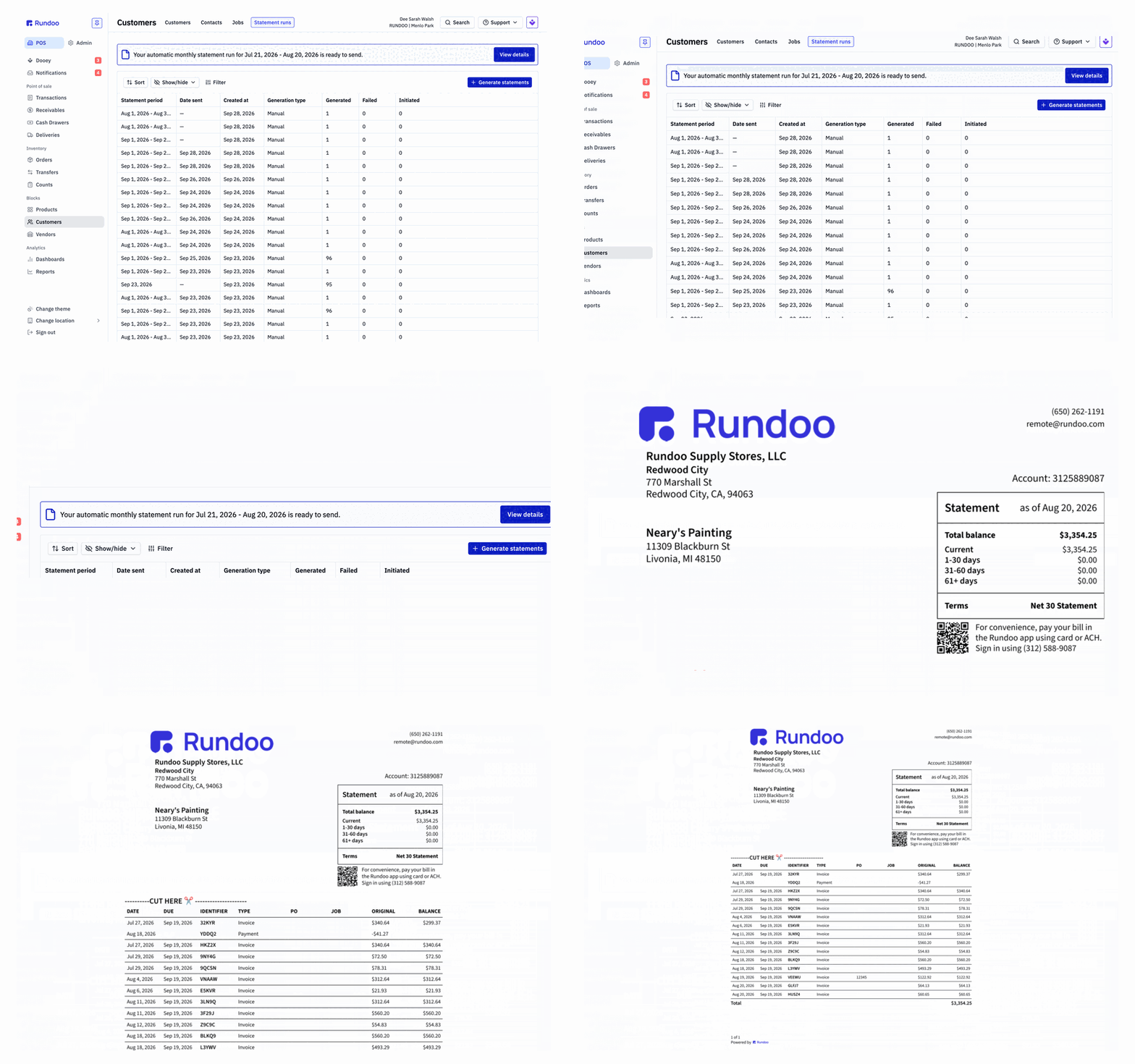
- Email a customer's invoice the moment you check out. The invoice leaves with the goods, not at the end of the month.
- Monthly statements, generated automatically. Statement day runs itself; you review the batch once and send.
- One system for POS, accounts receivable, and the general ledger. The sale, the balance, and the ledger entry are the same event, so nothing gets keyed in twice.
04Customer App
Let customers pay from their phone
Account customers see invoices and balances and pay by card or ACH from the Customer App, day or night, while staff, the counter, and the app run on one connected system, so a payment posts the moment it is made.
Explore the Customer App →"I get great feedback from them. They love the convenience of being able to pay their bill on the app. Five stars."
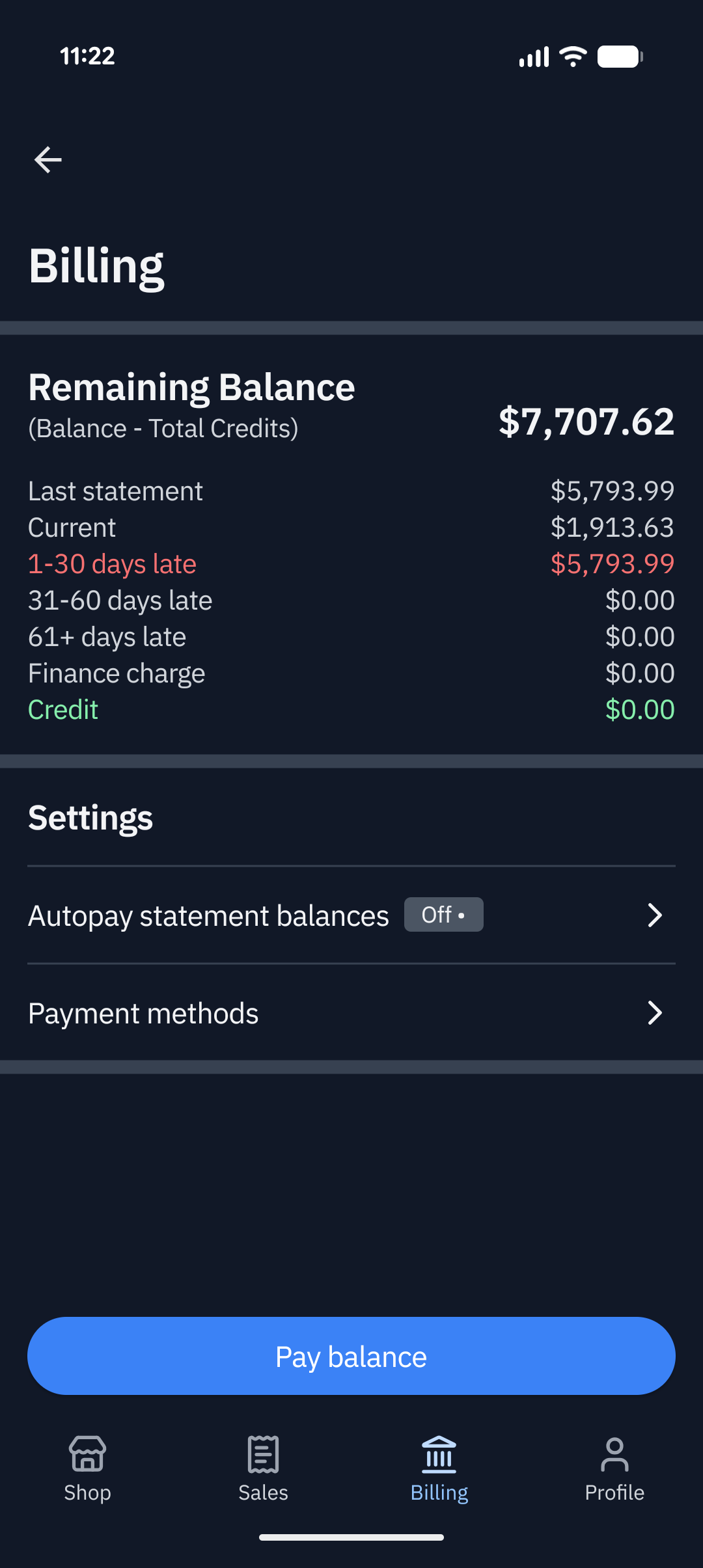
- Customers pay their invoices from their phone, day or night. They see the delivery post in the Customer App and settle the same day, so receivables stay current.
- Staff, counter, and the Customer App on one connected system. A payment made in the app shows at the counter with nothing to reconcile.
- Find what they want, at their price. Existing customers can create a new order on their phone or reorder exactly what they got the last time.
Don't take our word for it
-
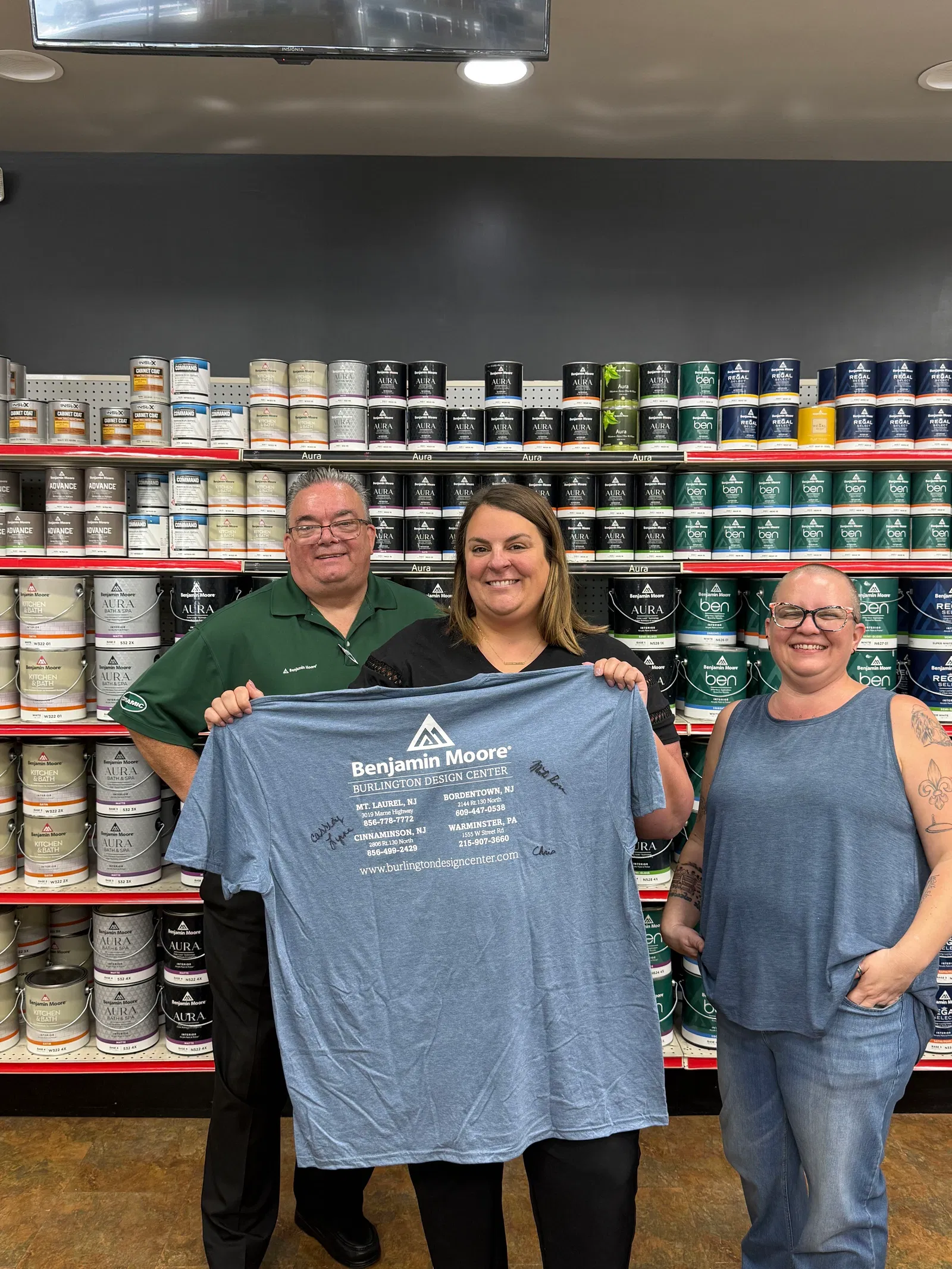
Michael Keane
Burlington Design Center, NJ
"Your search engine just smokes anything that we're used to."
-

Taylor Mattingly
Bardstown Paint & Design Center, KY
Sometimes I like to surprise people — I'll know what product they got last time, look it up, and say 'Hey Jerry' before they tell me their name. It's more personal. People think that you remember them.
-

Will Cartigan
Parkway Paints & Flooring, NY
"Yeah, we love the system. It's so much easier to find stuff when customers can't remember what they got from the previous week."
We can send out an invoice via email and they can pay it from their cell phone. And that has really helped... we have the ability to collect our money almost immediately and that to me is one of the big things that we really like. It's helping us keep all of our accounts up to date. We don't have any past due issues.
Here's the biggest time saver — any field you're in, you can start typing part of a name or part of a product name and you get your list up just like that. That was wonderful.
Pretty simple, pretty user friendly. It's nice that you could type in like concrete or quick creek and like all your options come up and then you can just pick it versus knowing like SKU. And it shows you a picture of most of the stuff.
It is definitely much faster and more functional than the Square, and I love the invoicing — that has certainly helped us a lot. Because people can pay with the app, they tend to do that instead of waiting until they come in six months later.
Saves me a lot of time on end-of-month stuff, and emailing these invoices at the time of sale seems like it helps the cash flow.
Our mom would love that portion because she stays home more often than not. When she needs to see something or look up a transaction or if she just wants to pop in and look at things, she will love that she can do that. I wanted to tell you how to win her over because I really like this.
It just automatically goes — it's so much faster and easier at the counter.
Customers can get in and out of here that much faster. We've had a lot of compliments about that.
There's nothing more awkward than a line of people gathering behind that contractor staring at you… 10 seconds is a long time, 15 seconds is a long time.
News and updates from the Rundoo team
Titus Capilnean · September 25, 2026
Board foot calculator: how to calculate board feet
A working board foot calculator plus the formula with examples you can check, the nominal vs actual trap in softwood, the quarter-inch tally in hardwood, and how a lumber counter turns a price per thousand into a price per piece.
Read story
Titus Capilnean · September 16, 2026
Simple assembly in Rundoo: how to repot, pre-bag, and build a new product without breaking your cost of goods
Rundoo is not manufacturing software and we will not pretend otherwise, but a purchase order that balances to zero will turn four components into one finished product, carry the whole cost of goods across with it, and leave you room to mark up the work.
Read story
Titus Capilnean · August 6, 2026
How to tell AI to find a product to promote, then build the program around it
We asked Dooey to write the memo on picking a product to promote and turning it into a real program, then ran it end to end on our demo store, where a product that looked like dead stock turned out to need two different offers.
Read story
Titus Capilnean · July 27, 2026
Meet Dooey: The Story Behind the New Name
The AI that reads your store's numbers, catches the errors, and runs the busywork now has a name of its own: Dooey, because it does things.
Read story
Titus Capilnean · July 18, 2026
Garden Center POS Systems: The Best Options Compared
A buyer's guide to the POS systems garden centers and nurseries run, from Rapid Garden POS, Epicor, and Counterpoint to Lightspeed, Square, Comcash, Rain, and Rundoo, judged at the bench, in the yard, on the landscaper's account, and in the April surge.
Read story
Titus Capilnean · July 15, 2026
Bulk Feed Pricing by the Pound, Ton & Delivery
How feed stores sell bulk goods by the pound and the ton, write delivery tickets for farm routes, and carry producers on account, and why generic point of sale software fumbles every one of those jobs.
Read storyFrequently asked questions
Can my contractors pay their bill from their phone?
How fast can staff pull up a customer's price and history at checkout?
What can staff do from the floor?
Can I find a product by name or picture instead of the SKU?
How does contractor and tiered pricing work?
Does Rundoo integrate with QuickBooks?
When do monthly statements go out?
How do charge accounts work in Rundoo?
See how Rundoo runs charge accounts, contractor pricing, and payments together
Book a demo and we will show the counter, account, payment, and customer self-service workflows together.