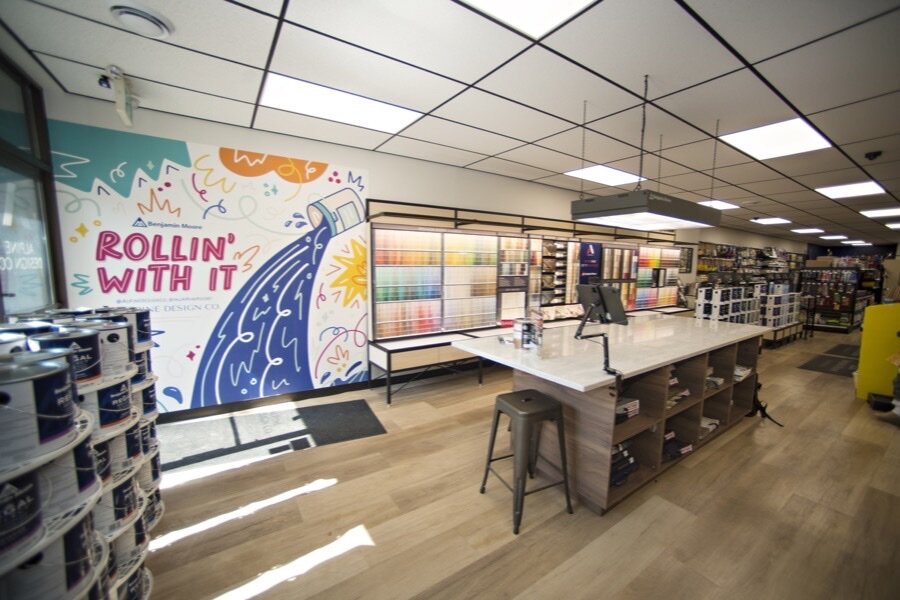
QuickBooks Point of Sale did not disappear on October 3, 2023, so much as freeze in place: Intuit discontinued QuickBooks Desktop Point of Sale 19.0 on that date along with the services around it, which means the software still opens on your back-office PC but no longer gets security patches, live support, or payment processing. If you are still running it, the real question is what to move to and how to keep the books flowing into QuickBooks once you do, and that decision is what this page covers. When you are ready for the step-by-step move, our separate guides for switching from QuickBooks POS and switching from QuickBooks Desktop walk through the migration itself, so we will not repeat them here.
This month we talked with the owner of a feed mill and farm store who had run QuickBooks Point of Sale for years, until the machine it lived on stopped working when its hard drive filled up and an attempted fix failed, leaving his IT team trying a third-party tool to buy him time while he picked a replacement. Then he told us the part that stuck with us: his bookkeeper had gone three years without bank feeds, because the store had stayed on an old version of QuickBooks Desktop accounting, and upgrading the accounting side would have broken its connection to a point of sale that QuickBooks no longer supported. His plan is to move the books to QuickBooks Online the day the old register gets unplugged, and if any of that sounds familiar, you are in good company.
What Intuit discontinued, and what still works
Intuit's discontinuation notice says customers "can keep using QuickBooks Desktop Point of Sale 19.0 without these services after October 3, 2023," and that is true as far as it goes, since the register still opens. The catch is everything around it that stopped.
| Still works | Stopped on October 3, 2023 |
|---|---|
| The QuickBooks Desktop Point of Sale 19.0 software itself | QuickBooks Point of Sale Payments |
| Manual gift card redemption, though the system can no longer manage balances | QuickBooks Point of Sale Gift Card Service |
| Your local data files, as long as the machine holding them stays healthy | Mobile Sync and Intuit Store Exchange |
| Your existing register hardware, until it wears out | The Webgility ecommerce integration and the Vendor Lookup Service |
| Live support by phone, email, and chat | |
| Critical security patches and feature updates |
Intuit's FAQ on the discontinuation is blunt about payments: "QuickBooks Point of Sale Payments will no longer work with QuickBooks Point of Sale software after Oct. 3, 2023." No future versions are coming, and Intuit no longer sells the product to new customers.
Why "it still opens" is not a plan
Frozen software is a lot like the ice on a stock tank in January, because it holds right up until the day it does not, and you usually find out which day that is at the worst possible moment. Here is what quietly compounds under a store that stays on version 19.0.
No security patches. A point of sale touches card data, customer records, and your store network, so an unpatched machine sitting on that network is a door nobody is watching anymore.
The operating system underneath is aging too. Many QuickBooks POS machines are older Windows PCs, and Windows 10 support ended on October 14, 2025, which ended free security updates, fixes, and technical assistance unless you pay for Microsoft's Extended Security Updates program. Even if the POS software were perfect, the floor under it needs patching.
The QuickBooks Desktop trap. Intuit retires each QuickBooks Desktop version on a schedule, and QuickBooks Desktop 2023 was discontinued after May 31, 2026, losing live support, Desktop Payroll, Desktop Payments, online bank feeds, and security updates. Intuit also stopped selling new Pro Plus, Premier Plus, and Mac Plus subscriptions to new US customers after September 30, 2024, though existing subscribers can keep renewing, Enterprise is still sold, and QuickBooks Desktop accounting itself has not been discontinued. The trap for POS stores is the link between the two, because plenty of owners stay on an old Desktop version when upgrading the accounting side would sever the connection to the point of sale, and that is how a bookkeeper ends up three years without bank feeds. Other owners tell us the link never worked well to begin with, and describe keying dollar amounts into their invoices by hand because the point of sale and the invoicing did not talk to each other.
One hard drive holds the business. Our feed mill owner's register was not taken down by a dramatic crash but by a full hard drive, the kind of ordinary failure that turns serious when there is no one on the other end of the phone. One of our sales reps talks to owners on QuickBooks Point of Sale every week, and his summary is that if the system crashes, there is nobody left to call. A prospect on another call told him, "I've been using it long enough. I don't need no support," which holds true right up until the support you need is getting your own data back.
Your options
Intuit's recommended path: Shopify POS or the QuickBooks mobile app
Intuit points customers two ways. The QuickBooks mobile app takes payments with Tap to Pay on iPhone and syncs to QuickBooks Online, which suits a business that mostly collects payment on the go, though it is built around taking payments rather than running a full store register. Shopify POS is Intuit's preferred partner, and it comes with a real off-ramp in the form of a migration tool, onboarding help, 24/7 support, and a customized integration that syncs with QuickBooks Desktop financial software. Intuit's FAQ even notes that your QuickBooks POS cash drawer works with Shopify POS, so at least one thing in the back office gets to keep its job.
General retail systems: Square, Clover, Lightspeed
These are good systems for what they are built for. If your shop runs on walk-in retail where every sale ends at the card reader, Square, Clover, and Lightspeed all check out a customer quickly with modern hardware and approachable reporting. The gap shows up when the sale does not end at the card reader, because supply stores carry charge accounts for contractors and farmers, send monthly statements, watch aging, handle tax-exempt farm and contractor customers, and manage deep catalogs with a vendor purchase order behind every shelf. When your Tuesday is forty sheets of OSB and a pallet of feed billed to a contractor's account on terms, a retail-first register starts fighting you, and the workarounds pile up in a spreadsheet next to it.
A POS built for supply stores
The right QuickBooks POS replacement for a supply store has to speak both languages, the counter and the ledger. At the counter that means charge accounts with credit limits, contractor pricing tiers, tax exemptions, and statements and aging visible while the customer is standing there, along with the units the trade uses, whether that is board feet or feed by the ton. Behind the counter it means vendor ordering, purchase orders, and inventory that survives a cycle count, and underneath all of it the books have to keep flowing into QuickBooks, which is the part the generic "top 7 alternatives" lists tend to skip.
What to look for in a POS that integrates with QuickBooks
Every vendor on your shortlist will say they integrate with QuickBooks, so make each one show you what that means, starting with which QuickBooks. QuickBooks Online connects over the web, so a modern POS can sync to it automatically, while QuickBooks Desktop lives on your own machine, so integrations with it vary more widely: some vendors post through a dedicated connector and others, Rundoo included, run a scheduled export that you import. Neither is wrong, but you should know which one you are buying before month-end tells you.
Then ask three follow-up questions. First, what posts: sales, payments, and receivables should all land in QuickBooks. Second, where your accounts receivable lives, in the POS or in QuickBooks, because that decides where statements and aging get managed and who on your team owns them. Third, how often it runs, whether that is real time, nightly, or whenever somebody remembers to click the button.
Two habits separate the smooth switches from the painful ones. Bring your accountant or bookkeeper into the chart-of-accounts mapping before go-live rather than after the first confusing month-end, and ask for a demo of the sync running on real data, not a slide with a QuickBooks logo on it.
Getting your data out
Know what the official path moves before you count on it. Intuit's migration to Shopify brings over products and inventory quantities, customers and vendor data, and customer notes, but not customer balances, product images, or transactional records, and in the words of Intuit's FAQ, "Transactional and non-transactional data is not available to export to Shopify." For a store with charge accounts, missing balances and sales history are exactly where a migration goes sideways, so whatever vendor you choose, get this list in writing before you sign:
- Products and full sales history
- Customers, with their pricing tiers and financing terms
- Vendors
- Inventories
- Product categories
- Detailed aging on every account
Treat the move as a chance to clean house, because twenty years of QuickBooks Point of Sale usually means dead SKUs, duplicate customers, and a few balances nobody has looked at since the last time the register was dusted. A good implementation team will help you fix that data rather than carry it over, and our guide to what transfers in a POS migration covers the checks in detail. Time the final pull for the night before go-live, so inventories, customer balances, and the last sales all come across while the store is closed.
Where Rundoo fits
We are one option on that third path, so here is what we do, plainly. Rundoo is a browser-based system built only for independent supply stores, from hardware and paint to farm and feed, lawn and garden, and lumber, with charge accounts, credit limits, contractor pricing tiers, statements, and aging at the register, a Customer app where account customers view invoices and statements and pay, and Dooey, the AI on every screen.
On the QuickBooks question, Rundoo syncs to QuickBooks Online automatically, and for QuickBooks Desktop it exports on a schedule that you import into QuickBooks, which is a scheduled export and import rather than a live sync. Either way you keep QuickBooks for accounting and payroll, with sales, payments, and receivables posting over, and Rundoo also has its own connected general ledger that integrates with QuickBooks and supports third-party tools like Sage.
On migration, our data team pulls your data off the QuickBooks POS machine through remote access after store hours so the counter never skips a beat, and your accountant or bookkeeper is brought in to set up the accounting integration. Our QuickBooks POS parser covers every item on the list above, you get a test environment loaded with your real data before go-live, and a final pull the night before brings over inventories, customer balances, and the last sales.
As of September 2026, 37 of our live clients came to Rundoo from QuickBooks POS, including Hollister Paint, a paint store in Hollister, California founded in 1927, and Colors Inc in Durango, Colorado. Hollister's owner, Lance Goularte, put it this way: "With QuickBooks Point of Sale shutting down, I explored other options, but none had Rundoo's features." Across the stores that switched, comparing the year before with the year after, accounts receivable came down 25%.
QuickBooks Point of Sale served independent stores well for twenty years, and staying on it this long was never laziness, since it was a working register in a busy store. The ice is thin now, though, and the move goes easier when you pick the timing instead of letting your hard drive pick it for you, so when you are ready, the QuickBooks POS switch guide walks through the move step by step.