Switching from BMS Wave
What happens when you switch from BMS Wave to Rundoo?
Your products, customers and sales history come with you, and you run sales, purchasing, charge accounts and deliveries in a web app. A few things, like price tiers and jobs, need to be set up again.

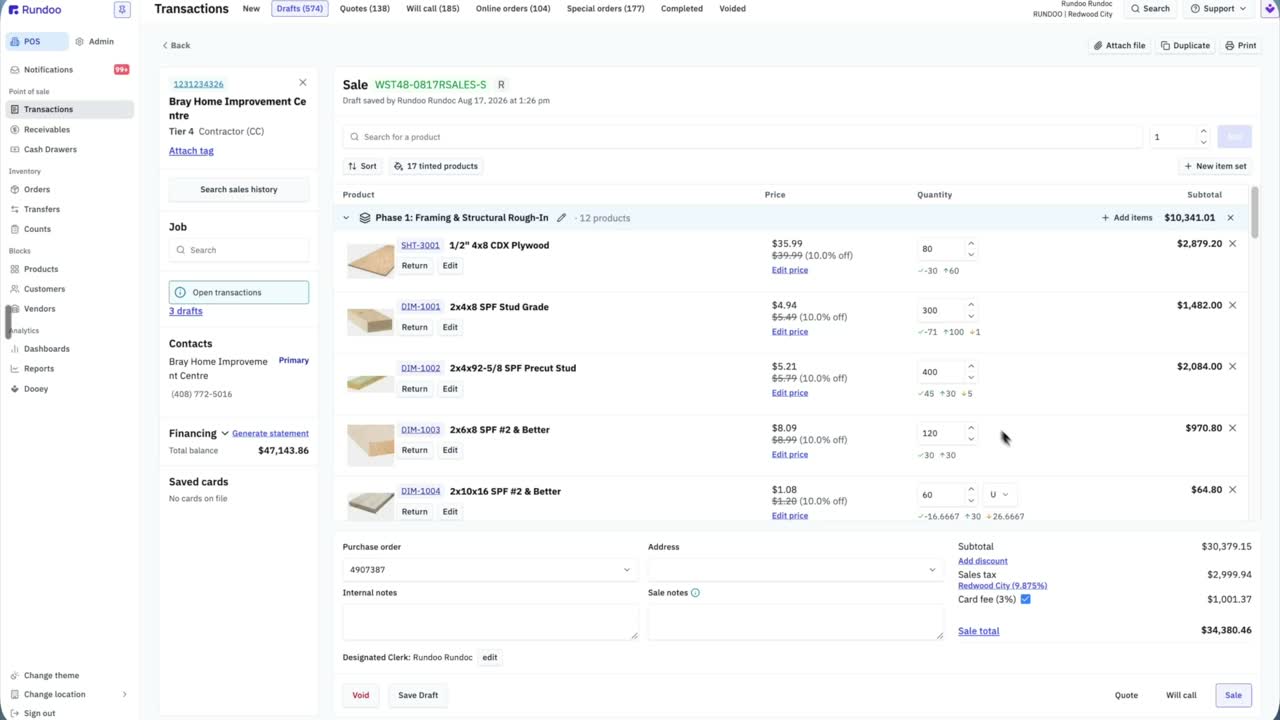
At the counter
What the work looks like in Rundoo
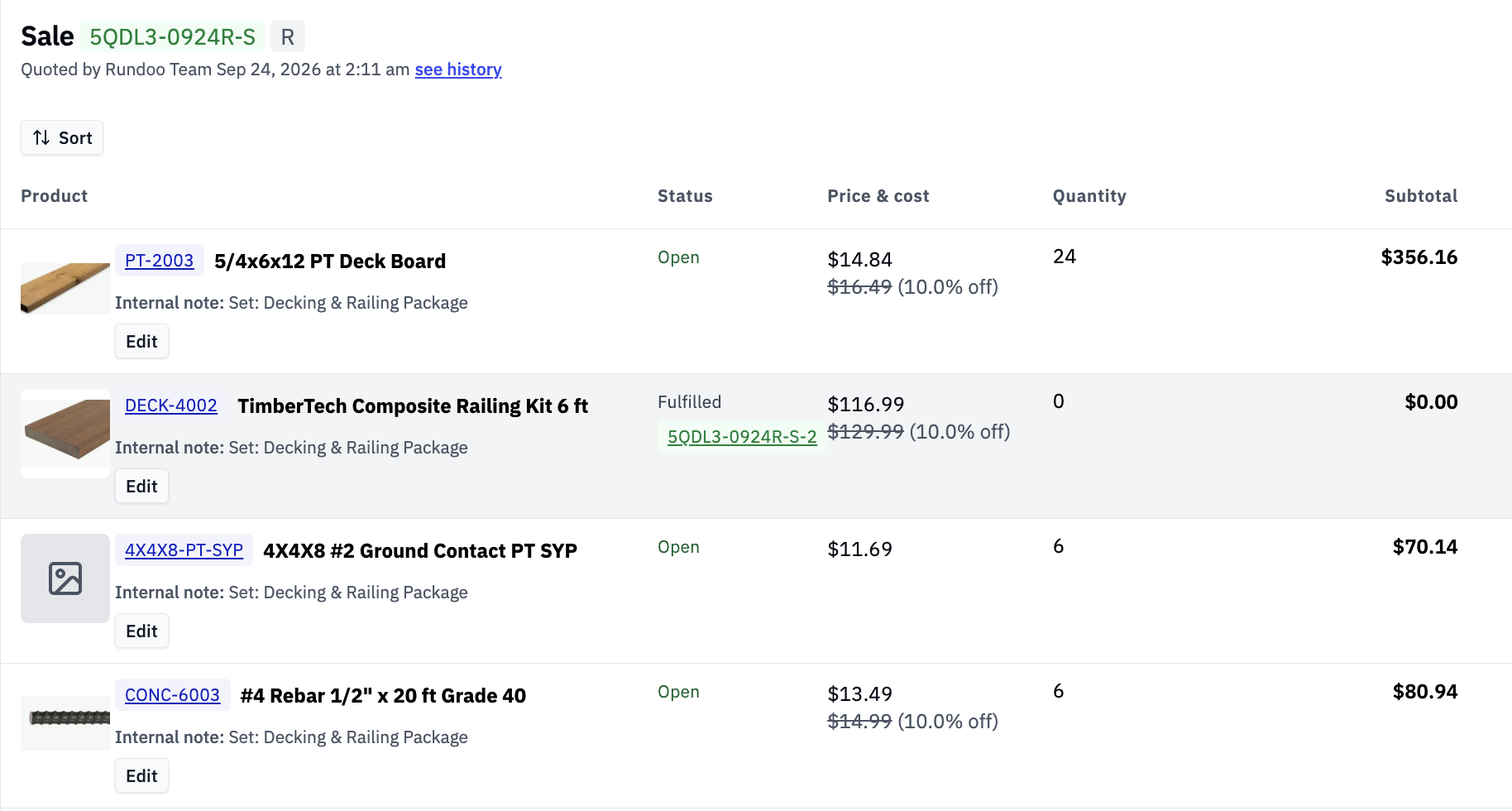
Send out what's ready
If part of a decking package is ready to go, you can fulfill that part and leave the rest open on the sale. The deck doesn't have to go out all at once (it won't go up all at once either). See the Web App & POS.
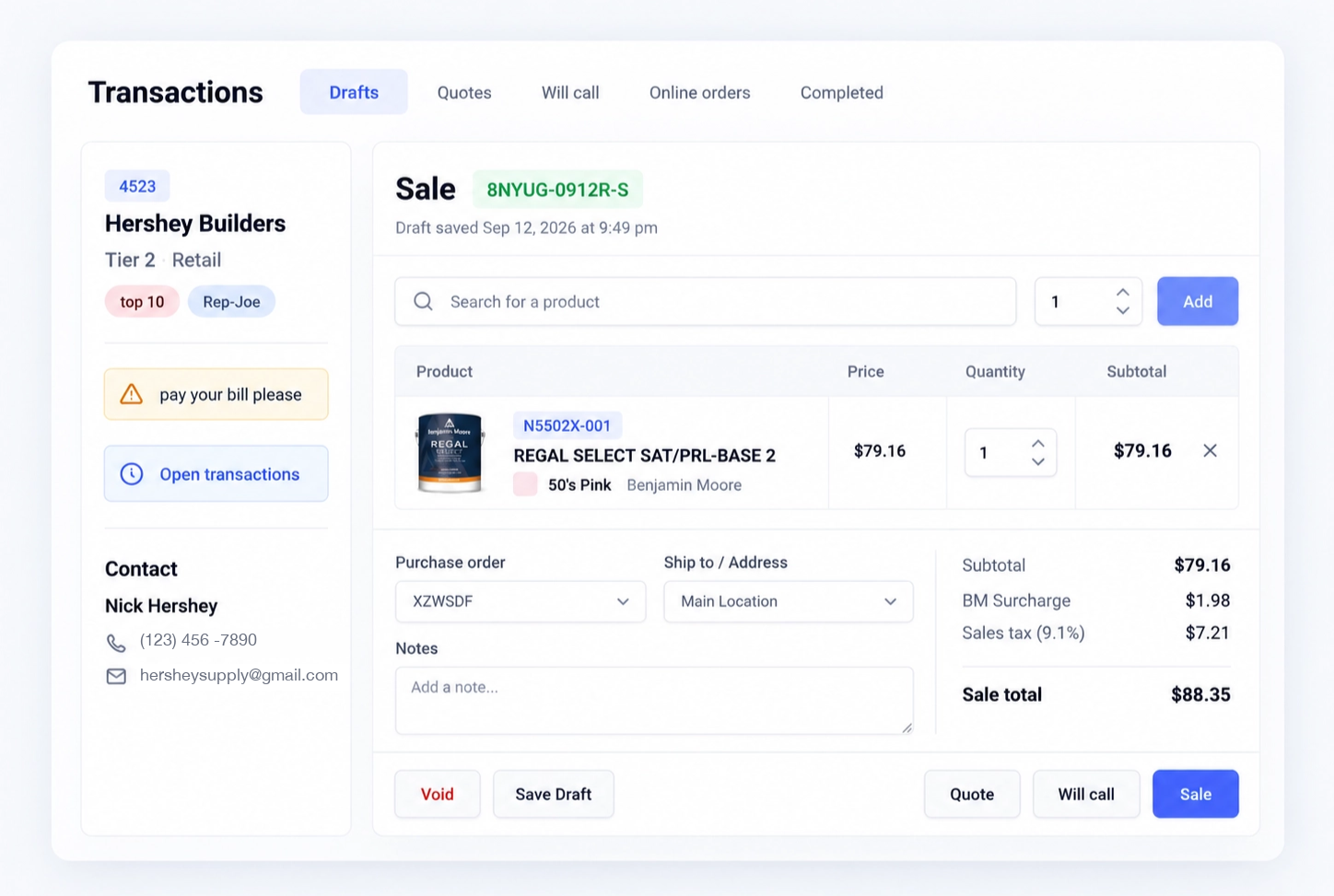
See the price while you write the sale
The customer, their pricing tier and the running total are on the same screen, so when you're showing a new staff member how to write a sale, you can point to the price without leaving the sale you're teaching them on.
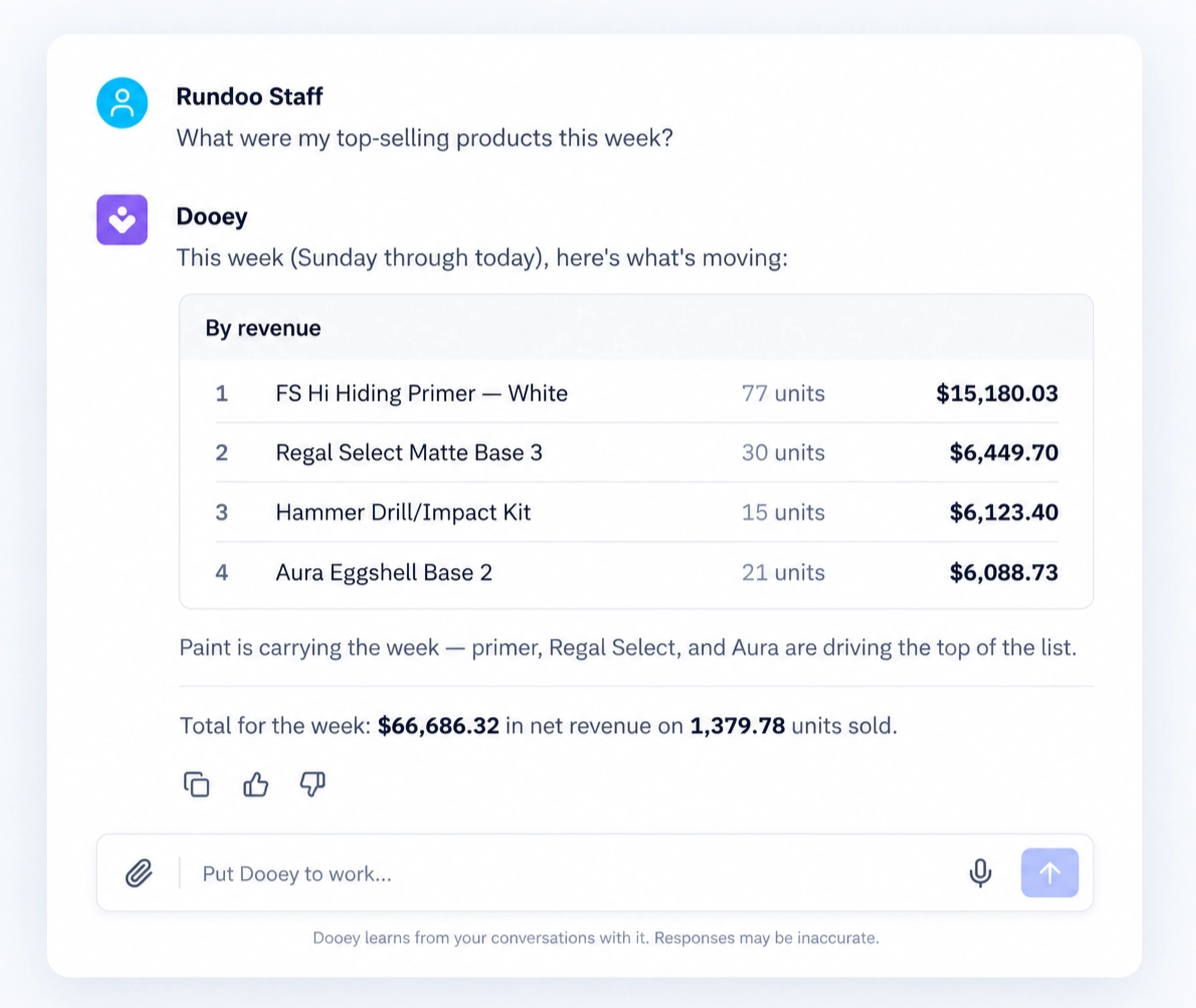
Ask Dooey what sold this week
You can ask Dooey what your top-selling products were this week, or ask it to check stock or draft a purchase order. A person reviews the draft before anything goes out.
Feature comparison
Quotes, statements and the stuff that goes on the truck
| Rundoo | BMS Wave |
|---|---|
| Lumber and building supply: sell in BF or MBF, work with tallies and special orders, and track sales by job | Yes |
| Quotes and special orders: break a big contractor quote into phases and take a deposit | Yes |
| Charge accounts: see what's overdue, send statements, apply finance charges and keep jobs under the contractor's account | Yes |
| Purchasing: set reorder points, get purchase order suggestions, use vendor EDI and receive against a PO | Yes |
| Delivery: schedule it from the sale, then the driver can follow the route on their phone and capture proof of delivery | Wave doesn’t list delivery or dispatch on its feature pages |
| Ask Dooey in plain English: ask a question, build a report or draft a transfer or purchase order | Wave doesn’t list an AI assistant on its feature pages |
Data migration
What we bring over from BMS Wave
Here's what we import from BMS Wave. Your customer's balance comes over, but the detailed aging behind that balance doesn't.
Set up with your implementation manager.
Price tiers, financing terms, detailed aging and jobs are set up with your implementation manager rather than imported. Imported sales history shows as cash, so export a tender report from Wave the day before go-live.
The process
How switching works
You get a person
A dedicated implementation manager works with your team.
We migrate your data
We bring over your BMS Wave data and verify the workflows your team depends on.
Train and go live
Your team learns Rundoo before launch, with support through go-live.
Want the full story? Read our deep dive on what happens when you switch, the ROI of switching, or how support works after go-live.
Frequently asked questions
Could I run my yard on Rundoo instead of BMS Wave?
What might I miss if I leave BMS Wave?
Can I write the sale here and send the delivery from another yard?
What comes over from BMS Wave, and what do we set up again?
What if we've set up Wave to do things a particular way?
Ready to make the switch?
Bring us the Wave workflow your team uses every day. We'll show you how Rundoo handles it.