Ask five POS vendors what their system costs and you'll get five brochures, four callbacks, and maybe one straight answer. There is no honest single number in 2026, because the cost depends on how many locations and registers you run and how much card volume moves across your counter, but every quote you'll ever receive breaks down into the same six budget lines: upfront hardware, the software itself, payment processing, data migration, training and support, and whatever it costs to leave the system you're on today. If you price all six for each vendor, you can compare apples to apples instead of brochures to brochures.
For orientation, and speaking in industry ballparks rather than quotes: cloud POS subscriptions for supply stores typically run in the hundreds of dollars a month per location, on-premise licenses run thousands of dollars up front plus annual support and per-module fees, and data migration quotes range from included-in-onboarding to several thousand dollars depending on the system you are leaving. Card processing is the one line nobody should quote you as a range, because it is a percentage of card volume and your own payment mix moves it more than any vendor does, so ask for a personalized rate sheet in writing.
Because the total depends far more on your store than on the vendor's rate card, the useful thing to know is which of your own numbers move each line. Here is what pushes every budget line up or down for an independent supply store, and the one thing worth insisting on in writing before you sign.
| Budget line | What pushes it up or down for your store | Get this in writing |
|---|---|---|
| Software | Register count, user seats, and number of locations drive most cloud subscriptions, and per-module add-ons drive the rest. On-premise pricing climbs with the back-office server and the remote-access software you need to see the store from anywhere. A flat rate that includes every module and unlimited users is the version that stops climbing. | The all-in annual figure, with every module, seat, and support line named rather than assumed. |
| Upfront hardware | Rises fastest when a quote assumes a whole new counter, and falls to nearly nothing when the devices you already own run a modern browser. Cash handling adds a receipt printer and drawer, and an on-premise system adds a server you would not otherwise buy. | An itemized split between what you must buy and what you can keep running. |
| Payment processing | Moves with what you sell rather than with your register count, so your payment mix matters more than the size of your counter. Credit and rewards cards are priced above debit, keyed transactions above swiped, and large contractor invoices are where your mix makes the most difference. Routing those invoices over ACH is the strongest lever you control. | A personalized rate sheet, never a verbal estimate, including the ACH rate. |
| Data migration | Driven by how many years of history you move, how many systems that history is scattered across, and whether the vendor's parser has read exports from your current system before. A well-worn migration path costs a fraction of a first-of-its-kind one. | Whether migration is billed as a project or included in onboarding, plus the named list of what transfers. |
| Training and support | Per-incident support billing turns an ordinary question into a line item, and seasonal hiring means you pay the training cost more than once a year. SKU depth and how many staff work the counter set how much training you need in the first place. | Whether support is included or billed per call, and the resolution-time commitment behind the answer. |
| Leaving your current system | The line most stores forget to price. An unexpired processor commitment, an auto-renewal that already fired, or a termination clause with notice requirements can outweigh a year of subscription savings on its own. | Your current termination and processor-commitment terms, and the new vendor's renewal terms, read side by side. |
The software: license or subscription
The first fork in the road is how the software is sold. Traditional on-premise systems charge a software license, and the license is often only the opening bid. Running one usually means a dedicated server in the back office, remote-desktop software so you can check the store from home, a network firewall device, and extra module licenses for the features you assumed were included, and together those add up to far more than the license alone. A good question to ask any on-premise vendor is simply what you'll be paying for the server and remote-access setup, because that's where the real cost hides.
Cloud systems flip this into a recurring subscription. Pricing models vary, from per-register and per-user tiers to a single flat rate with everything included, and because the software runs in a browser, remote access is typically built in rather than sold as an add-on. Whichever model you're quoted, insist on the all-in figure, because the sticker price rarely includes every module, seat, and support line you will end up paying for.
One more line to read closely: support. Stores that switch to us from certain older systems tell us their number one frustration was expensive support calls and long hold times, so ask every vendor directly whether support is included or billed per incident. A cheap license with a meter running on every phone call isn't cheap for long.
Upfront hardware: less than you'd think
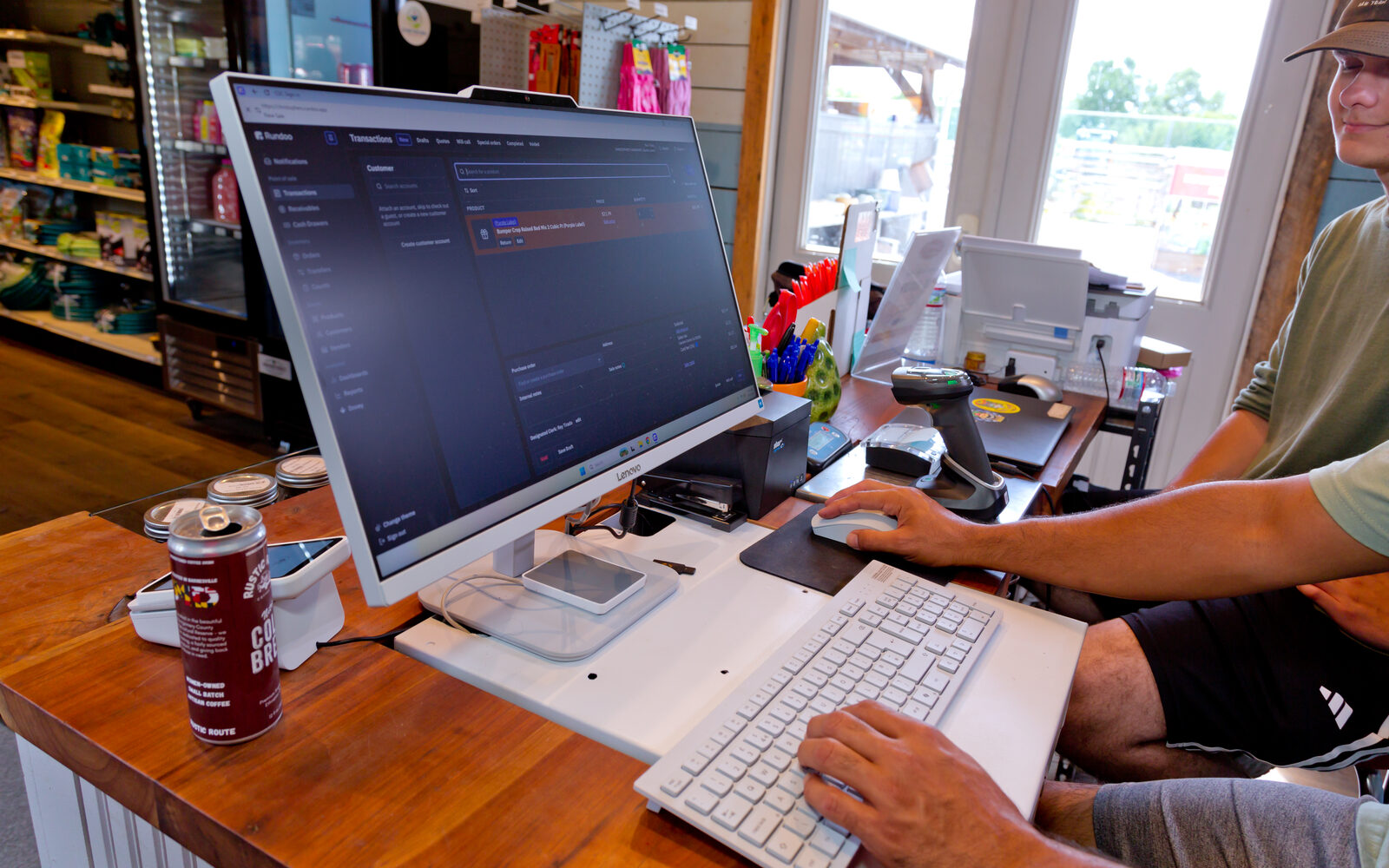
If a device runs a modern web browser, it can run a cloud POS, which means most of the tablets, laptops, and desktops you already own keep working, along with keyboards, mice, full-page printers, and cash boxes. When stores switch to Rundoo, the one purchase you cannot skip is card readers, because payments run on Stripe S710 readers that come from us, and that reader is hardware we order, configure, and ship so it works from day one. If you take cash, budget for the counter pieces on your side of the ledger too: Rundoo works with Star thermal receipt printers that support CloudPRNT, and an existing cash drawer pops through that printer. Some stores choose to upgrade equipment during a switch, but that's a want, not a need, so don't let anyone quote you a full counter's worth of new gear as if it were mandatory.
Payment processing: the line you have the most say over
For most supply stores this is the largest of the six over time, because it moves with your sales instead of sitting at a fixed monthly figure, and that is exactly what makes it the line you can shape. Two things worth asking every vendor for. First, a personalized rate sheet in writing rather than a verbal estimate, since your own payment mix moves this number more than the vendor does. Second, an answer on ACH, because bank-to-bank payments are priced below cards, and on the large invoices your high-volume contractor accounts run up, choosing the right rail on the right invoice adds up month after month. On Rundoo, payments run through Stripe with ACH available for exactly those accounts, and autopay on monthly statements removes the end-of-month chase that eats up staff time.
There's also a quieter cost here: compliance paperwork. When card numbers are converted to useless tokens the moment they are swiped and never touch your network, the annual card-security paperwork (PCI compliance) shrinks to a 3-page form instead of the old 26-page version.
Data migration: ask who does the lifting
Your products, customers, balances, and sales history are the lifeline of your business, and moving them is real work, so find out whether it's billed as a project or included. At Rundoo, migration is part of onboarding: a dedicated implementation manager pulls over your products and catalogs, customers and contractor accounts, accounts receivable balances, pricing tiers, statement settings, and tax-exempt IDs, and we're able to extract data from a store's existing system over 90% of the time. We've written up exactly what the switch looks like if you want the play-by-play.
Training and support: the cost of getting your team steady
A system nobody can operate is expensive at any price, so budget the human side too. Ask how training is structured and whether it costs extra. Our full flow runs four sessions with videos, a sandbox, and shareable documents, your implementation manager stays with you for roughly two weeks after go-live or through your first statement run, and after that, support is included, US-based, and resolves 96% of cases within 24 hours. Whatever vendor you're evaluating, get their equivalent numbers in writing.
Leaving your current system
Finally, price the exit. Check your current agreements for termination clauses and remaining processor commitments, and check the new vendor's terms just as carefully. We use straightforward annual agreements with no auto-renewal surprises, and you see everything in writing before you decide. When a store is still locked into a card processing contract, we've helped make the math work, like structuring an offset on the monthly fee for Coosa Valley Milling & Hardware so their processing buyout penciled.
Making dollars make sense
So how much does a POS cost? Add up all six lines for a full year, for every vendor you're considering, and then weigh that total against what the system gives back. When we analyzed stores that switched to Rundoo, comparing the year before go-live to the year after, we saw on average 17% revenue growth, a 25% reduction in outstanding receivables, and a 2% improvement in gross margin, and while the growth number carries some selection bias, since stores that invest in growth tend to see more of it, the receivables reduction is something we consistently drive. The full breakdown is in How Rundoo Delivers ROI.
The right question isn't "what's the cheapest system," it's "what does each system cost all-in, and what does it return." If you want straight answers on migration, timeline, and pricing for your specific store, book a demo and bring your hardest questions. We'll bring the rate sheet.