Switching to Rundoo
Switch from NCR Counterpoint
Easy for your staff to learn, with support from the people who build it.

See it in action
Clean screens a new hire can learn fast.
Why stores switch
Three reasons stores make the move.
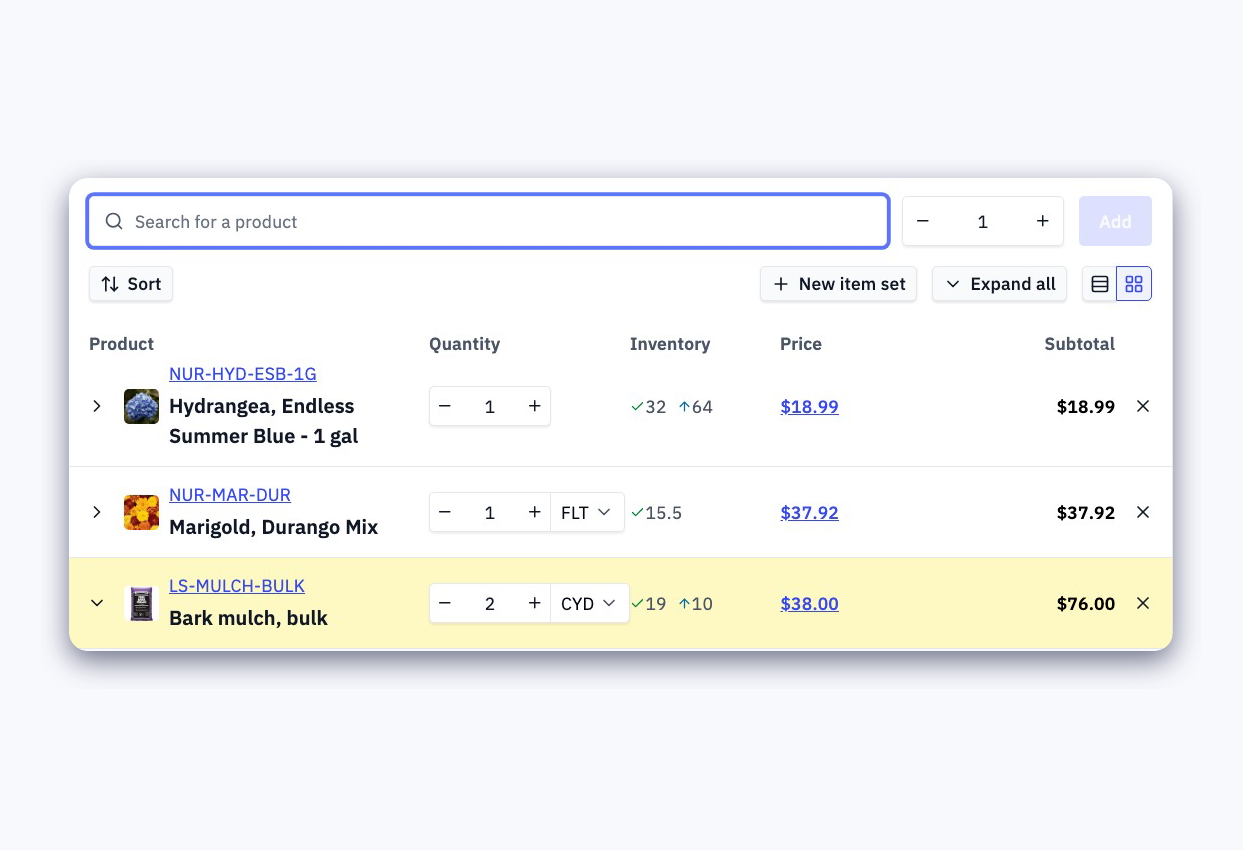
Easy to train new staff on
Ringing a sale, printing tags and receiving an order each happen on one clean screen, so a new hire learns the job by doing it.

Support from the people who build it
Included in your subscription. No block time to buy and no reseller in between.
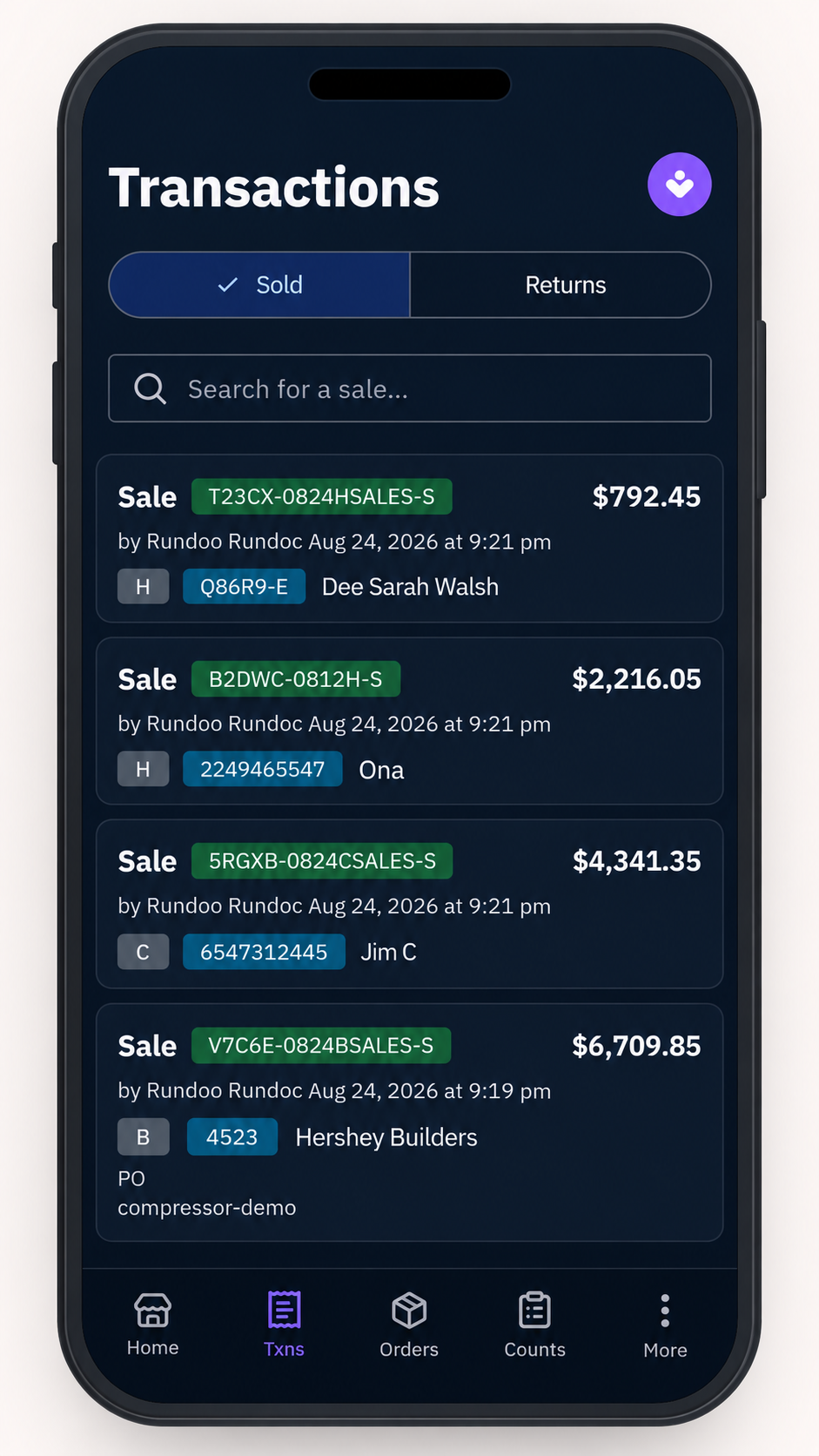
Run your store from anywhere
Check reports, orders and inventory from home, the sales floor, or your phone.
Feature comparison
What you keep, and what changes.
| Rundoo | NCR Counterpoint |
|---|---|
| Charge accounts — statements, aging, credit limits, finance charges | Charge accounts with statements and aging |
| Vendor ordering — POs, receiving, EDI | Vendor ordering and receiving |
| Multi-location — stock, transfers and per-location pricing | Multi-location stock and transfers |
| End of day — a daily dashboard with every tender method, deposits and payments by department | End of day — Z and X tapes |
| Reporting — a deep library of built-in reports Ask Rundoo in plain English for anything not on the list. |
Reporting — a deep library of built-in reports Anything not on the list needs Crystal Reports or SQL. |
| QuickBooks sync — sales, payments, and receivables post automatically | QuickBooks sync, through interface distributions |
| Sell online — an online store included in your subscription, selling from the inventory you already run Or connect the storefront you already run. |
E-commerce is a paid add-on, and older versions need an upgrade first |
| Loyalty points — set what a point earns and what it is worth, redeem for a discount at the register, and leave out the customers and products that should not earn them | Loyalty is a paid add-on |
| Brand programs at the register — Astro Loyalty for pet and feed, Orgill FanBuilder and Benjamin Moore Contractor Rewards on the same ticket | Brand programs run on a second device |
| Quick to train new staff on — clean screens a new hire learns by doing | Hard to train new staff on, with little onboarding material to hand them |
| Updates included — every store runs the current version | Upgrades are a project you pay for |
| One subscription — software, support and hosting, no cap on users | Separate bills for licence, support, hosting and backups |
| Support included — US-based, 96% of cases resolved within 24 hours | Paid support, often in blocks of hours, through a reseller |
| Open it anywhere — any computer or phone, nothing installed | A Windows app, and remote desktop to work from home |
| No server — nothing to host, patch or back up | A server in the store, with a nightly post to stay out of |
| Customers pay online — see the balance and the aging, pay from a phone | No customer portal |
Data migration
What we bring over from NCR Counterpoint
The process
How switching works
You get a person
As soon as you sign, you're paired with a dedicated implementation manager who has real experience working in supply stores.
We migrate your data
Everything NCR Counterpoint will give us, and you see it first.
Training and go-live
Your team gets hands-on training sessions before go-live day, and your implementation manager stays with you through the first weeks to make sure everything runs smoothly.
Want the full story? Read our deep dive on what happens when you switch, or the ROI of switching.
Frequently asked questions
What does Rundoo cost?
How long before my staff can use it?
Can I sell online?
Do you have a loyalty program?
Who do I call when something breaks?
How long does the switch take?
Does Rundoo work with QuickBooks?
Ready to make the switch?
Book a demo and we'll walk you through exactly what the transition from NCR Counterpoint looks like for your store.