Most of what ranks for this question today is a feature landing page or a sponsored video promising that a handheld will make you "spring ready," and handhelds are a fine thing, but a garden center that buys devices before it plans its checkout usually ends up with a very expensive way to discover a Wi-Fi dead spot in the back hoop house. The order of operations runs the other way: map where you sell, decide who rings sales where, plan for the connection to fail, and only then pick devices and software that fit the plan.
Mapping where you sell: benches, poly houses, the bulk yard, and the counter
Start with a walk and a sketch of the property, and mark every place a customer decides to buy. In most garden centers that list is longer than the owner expects: the front counter, obviously, but also the annual benches where a customer fills a cart, the perennial yard where a landscaper picks out forty shrubs, the bulk bays where a pickup waits for a scoop of mulch, the hard-goods aisle inside, the pickup area where online orders wait, and in season, the overflow tent or the second greenhouse that only opens in April. Each of those places has a different answer to two questions: can a customer pay there, and should they?
The second question matters as much as the first. Not every spot needs a checkout point, and a center that tries to put a register everywhere often ends up with registers nobody staffs, but the spots where customers are already standing in a line, or where the product is too heavy or too bulky to haul to the counter, are where a checkout point earns its keep. A landscaper loading forty shrubs onto a trailer in the back yard should not have to walk to the front counter to pay, and a customer with a cart of six flats should not have to wait behind someone buying a single bag of potting soil.
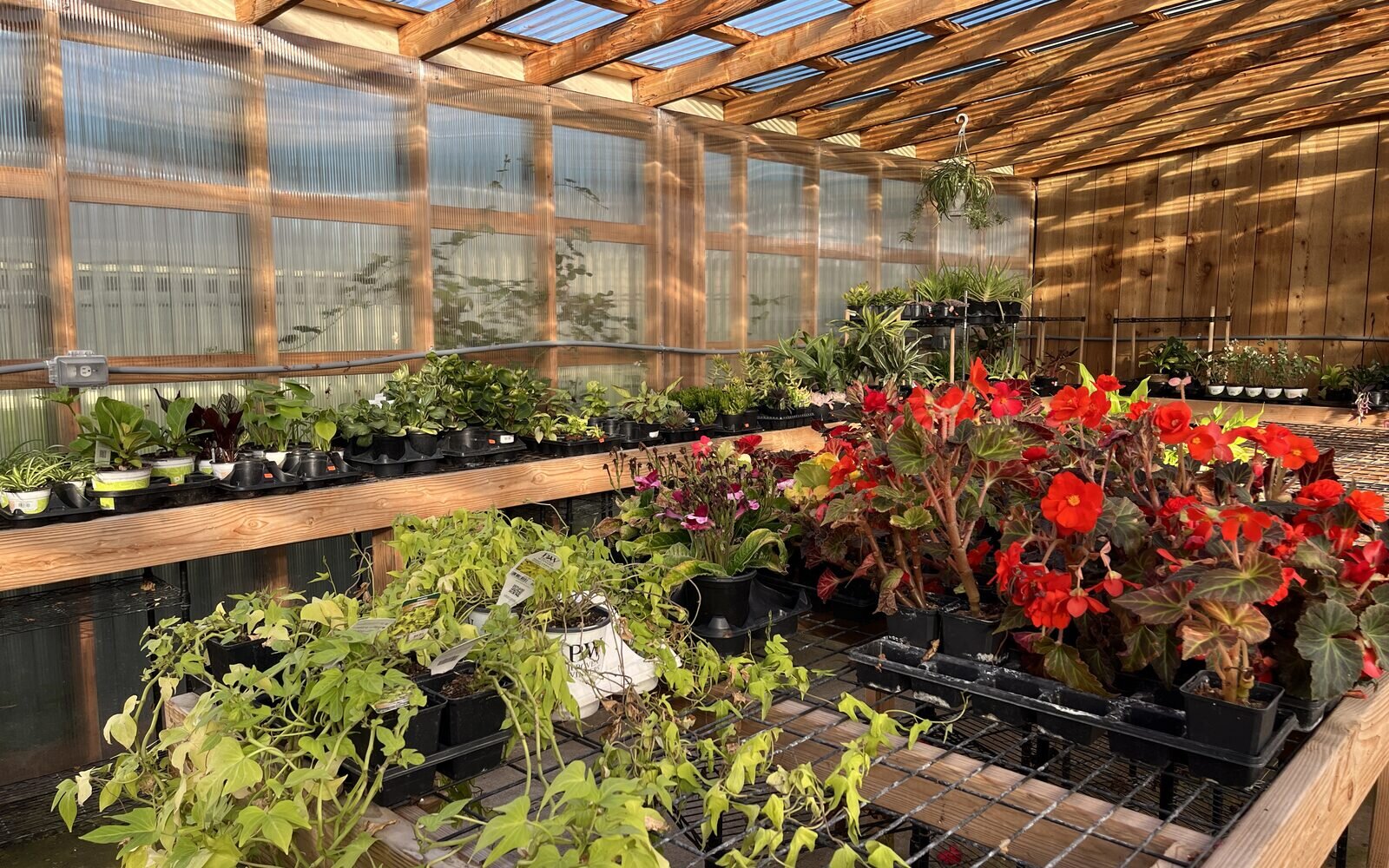
Then walk that same map with the device you plan to use and test the connection at each spot. Greenhouses are hard on Wi-Fi in ways a store building is not: poly film and shade cloth absorb signal, metal benches and hoops reflect it, irrigation and humidity soak it up, and a hoop house a hundred yards from the building may be past the edge of any access point. Note the dead spots now, because an outdoor access point or a mesh extender is a weekend project in February and a crisis on Mother's Day weekend.
Shortening the spring line: who rings, where, and on what
The spring rush in a garden center is less a busy season than a handful of very busy weekends, and the checkout plan has to be built for the worst hour of the worst Saturday, not the average Tuesday. The cheapest way to move more customers is a second place to pay, which can be a second fixed register at the counter, a seasonal checkout in the greenhouse, or a roving cashier, a staff member with a tablet and a card reader who walks the line, rings customers while they wait, and sends them out a side gate with a receipt. Each option needs a person, a device, a card reader, and a connection, and each one is worth planning as a station with a named owner rather than as "whoever is free."
The roving cashier is the most flexible of the three and the one that most often goes wrong, so it is worth being specific. The person needs to find any plant fast, including the ones whose tags have faded or fallen off, which means the product name should hold both the common and the botanical name so a search on either one works. They need to know which customers are on account and what their pricing is, so a landscaper can charge to the account without a trip to the counter. They need to handle a customer who wants a printed or emailed receipt. And they need to work in one direction: ring the cart, take the payment, and move on, rather than trying to answer every plant question in the line, which is the job of the staff on the benches.
Pay at the cart works best when the bench work is done before the customer reaches the line. A grower order that arrives on Thursday and goes onto the bench Friday night with no price tags is a Saturday line waiting to happen, so prices, tags, and product records for the spring order should be finished before the first truck is unloaded. That is unglamorous work, but it is the work that decides whether the roving cashier is ringing a cart or searching for a begonia nobody entered.
Mobile is not offline: planning for the moment the connection drops
Buyers often treat "mobile" and "offline" as one feature, and they are two different questions with two different answers. Mobile asks whether staff can ring a sale away from the counter, on a tablet or a handheld. Offline asks whether the system keeps taking sales when the internet drops. A system can be mobile and not offline, offline and not mobile, both, or neither, and the spring rush will test both, usually on the same afternoon.
| Question | Mobile | Offline |
|---|---|---|
| What it means | Staff can ring a sale away from the counter | The system keeps taking sales without an internet connection |
| What it depends on | A portable device, a card reader, and network coverage where you sell | Local software or a server that stores sales and syncs them later |
| What fails first | Coverage at the far bench or the back yard | Card authorization, charge accounts, and live inventory |
| What to ask the vendor | Which devices, which card readers, and what network they need | What works offline, for how long, and what happens to card payments taken without a connection |
| What to plan regardless | A coverage walk and a fixed fallback checkout | A backup connection you have tested before spring |
Systems with a server in the back office keep ringing on the local network when the internet drops, as long as the power and the network inside the building hold. Some cloud systems queue card payments offline within limits and settle them later, which is useful and also carries a risk the store absorbs if a card is declined once the connection returns. Rundoo, which we build, has no offline mode, and we say so in plain language in where is the offline mode: when Wi-Fi goes out, Rundoo stores connect to a phone's mobile hotspot or a purchased hotspot box, and some have moved to 5G Wi-Fi alongside wired internet for better reliability. That is a connectivity plan rather than a software feature, and it is a plan every garden center should make whatever system it runs, because even an offline-capable register cannot check a landscaper's credit limit against an account it cannot reach.
The plan has three parts. First, a backup connection ready to switch on, which can be a hotspot box on the counter or a second internet service from a different provider, tested on a quiet day so somebody knows where the password lives. Second, a rule for who flips to the backup and when, so the counter does not spend twenty minutes hoping the router will come back. And third, a test before the season: unplug the main connection on a slow morning in March and time how long it takes the store to get ringing again.
Cloud, on-premise, and reliability when downtime costs a Saturday
Most software can be down for an hour without anyone losing much, and a point of sale does not get that grace, least of all in a garden center where April and May carry a big share of the year. The choice between a cloud system and a server in the back office is partly a reliability question, and it cuts both ways. A back-office server keeps working when the internet drops but fails when its own hardware does, and it has to be backed up, patched, and replaced by someone at the store. A cloud system takes the server off your hands and lets you reach the store from anywhere, but depends on the connection, which is why the backup plan above is not optional.
We publish what we do to keep Rundoo up, and what happens when the internet goes down, in how we think about reliability. For a garden center, the honest summary is that either setup can carry a spring rush, and either can sink one, and the difference is usually the plan around it rather than the box itself.
Pickups, will-call, and online orders staged in the yard
The fastest checkout is the one that happens before the customer arrives. Online orders, phone orders, and landscaper will-call orders paid in advance or charged to an account can be pulled, staged, and handed over without touching the main line, as long as the staging area is somewhere a customer can find and the team knows who is waiting. In a garden center that usually means a marked pickup area near the parking lot, and in spring it can mean a second one by the bulk yard for landscapers who should never need to come inside.
For online orders, the one rule that matters is that the website reads the same live inventory the counter sells from, so a customer does not pay online for the last flat of a variety that sold at the register an hour ago. The rest is a will-call process your team already knows: pull the order, stage it with the customer's name, tell them it is ready, and confirm payment at handoff. Our guide to buy online, pick up in store for independent retailers walks through how that works for a garden store, and it is worth setting up before spring rather than during it.
When to switch systems, and why never in spring
If the checkout plan reveals that the current system cannot do what the plan needs, the timing of the switch matters as much as the choice. The best window for a garden center is late summer through early winter, after the fall rush and before the spring order goes in, which leaves time for data migration, training, and a few quiet weeks on the new system before the first warm weekend. Going live in March or April means the staff learn a new screen during the weeks they have the least time to learn anything, and a hiccup that would be a small story on a quiet Tuesday becomes a long line on a busy Saturday.
Our walkthrough of what happens when you switch covers the steps, from prep meetings and data migration through training, go-live morning, and the two weeks after, and our guidance for switch day is that it is the worst day to improve the business. Bring everything over exactly as it was, then change things one at a time once the new system feels ordinary, which for a garden center means the roving cashier, the second checkout, and the new pickup area all get rolled out in the quiet months, not on the day the system goes live.
How Rundoo fits a greenhouse checkout plan
Since you are reading this on the Rundoo site, here is where the AI-first POS for independent supply stores fits this plan, including the parts that need a workaround. Rundoo runs in a browser, so any tablet with a current browser can run the full point of sale, and the Stripe card readers Rundoo uses connect over Wi-Fi to the same network as the device running the POS, which means a tablet and a reader can move from the counter to the greenhouse wherever the network reaches. That pairing is the roving checkout we recommend for a Rundoo garden center.
The Rundoo Staff app on a phone is a companion for searching products, looking up customers and notes, checking analytics, running inventory counts, and printing labels to a mobile Zebra printer, and it does not ring sales or take payments today, so checkout away from the counter runs on the web POS on a tablet. Rundoo has no offline mode, so a garden center running Rundoo should put the backup connection plan above in place before spring. Charge accounts, statements, and pickups live in the same system as the register, and landscapers can pay their balances from the Rundoo Customer app instead of waiting in the line. You can see the counter in the Web App and POS, how it fits garden centers on our garden center POS page, and how we stack up against the other systems garden centers run in our garden center POS buyer's guide.
A note from our own engineering team: Rundoo engineers work directly with stores, and one of them wrote about building gift cards in a greenhouse, which is about as close to the customer as a software engineer can get without being handed a watering can.
A pre-season checkout readiness checklist
Run this list in January or February, well before the first grower truck arrives, and run it again the week before your first big weekend.
- Map the property. Mark every place a customer decides to buy and every place a line forms, and decide which ones get a checkout point in season.
- Walk the coverage. Test the connection at every checkout point and every bench with the device you will use, and fix the dead spots with an outdoor access point or extender now.
- Count the devices. One tablet and one card reader per checkout point, plus a spare of each, all charged, all signed in, and all tested on the network they will use.
- Plan the backup connection. Have a hotspot box or second internet service ready, test switching to it, and write down who flips it and where the password lives.
- Name the roving cashiers. Assign who rings sales where on the busiest days, train them on searching by common and botanical name, charging to accounts, and handling receipts.
- Finish the product records. Enter, price, and tag the spring order before it hits the bench, so nobody is searching for a plant that does not exist in the system.
- Set up pickups. Mark the staging area for online and will-call orders, and make sure the website reads the same inventory the counter sells from.
- Check the go-live date. If you are switching systems, make sure the new one is live and ordinary before March, never during the rush.
The garden center that runs this list in February spends its first warm Saturday selling plants, and the one that skips it spends the same Saturday apologizing to a line that stretches past the perennials. Neither one controls the weather, but only one of them controls the checkout, and that one tends to have a much better spring.