Where is the offline mode?

Summary: Rundoo does not have an offline mode. When WiFi goes out, clients connect to their phone's mobile hotspot or a purchased hotspot box. Some clients have moved to 5G WiFi over wired Internet for enhanced reliability.
Why do we have no offline problem
Rundoo does not have an offline mode, and we currently do not plan to build one. We experimented with having a version that would run locally on your computer, cache data in your browser, and then sync with the Internet when it reconnected. This had a few major downsides:
- An offline experience is a degraded experience. Delivering the full experience with access to full history, fast search, integrations with key vendors, and more is not feasible on a personal computer. Thus, we had to choose a subset of the experience to deliver.
- Trouble sync'ing data: Let's say we limit it just to the ability to do sales. Even then, we have to be careful to save the data and upload it with no duplicates when the Internet is reconnected. This is error-prone.
- Installed software is harder to maintain, both for you and us. Beyond being cloud-based (data is stored remotely in the cloud), Rundoo is a web-based: you simply access the most up-to-date version of Rundoo through your browser. An offline mode definitionally must be installed on your computer. As such, both you and we would have to start maintaining versions. With web-based software, this isn't the case: as soon as you open it up, you get the latest version! We pride ourselves on building fast. We launch updates daily, and if we did this with an offline mode, we would have to support many versions, and you would have to deal with the challenge of installing and managing those versions.
But these three reasons don't get to the biggest reason: the lack of an offline mode hasn't been an issue for our live clients.
Why hasn't it been an issue(!)
If you're reading this, I imagine you aren't a current client yet! The reason is that this has not been an issue for live clients.
But how is that possible? What do you do if the Internet goes out…
Using Cellular Signal
Cellular signal is much, much more reliable than WiFi. One of the major instances where we saw this was during Hurricanes Helene and Milton of 2024, when a number of our clients lost Wi-Fi, but no one lost cellular signal. Though cell towers were disrupted, there were no full blackout zones during the natural disaster.
So, how do you use cellular signal?
Option 1: Tether to your phone's hotspot (maybe no additional cost)
The easiest solution is to simply turn on your phone's hotspot and then connect to it. If you are unfamiliar with this process, here are the official guides from Apple and Google (Android).
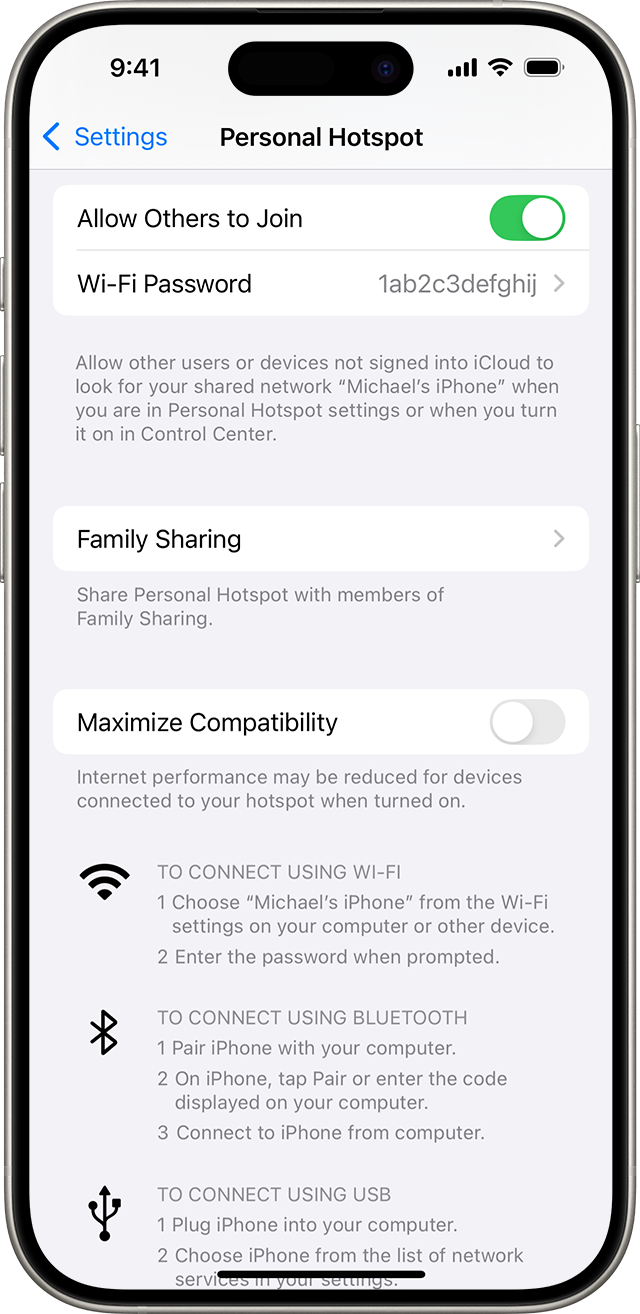
Note: There is a chance your current data plan does not include personal hotspots.
Option 2: Buy a dedicated mobile hotspot (~$50)
But what if you run a larger operation and don't want your employees using their phones? The most cost-effective, reliable solution is to equip your locations with mobile hotspots.
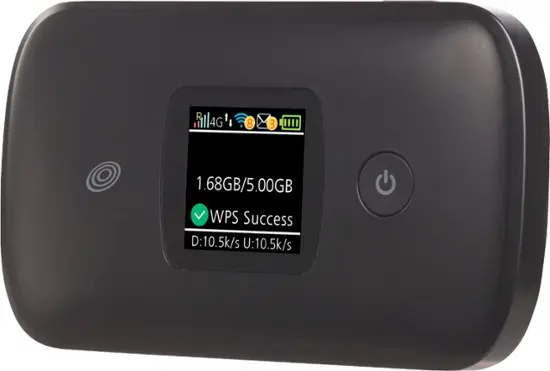
At our office in Redwood City, we have lost internet twice in the last year. Given we are pretty heavy Internet users, we wanted to have a reliable backup solution. We bought this $50 Moxee Mobile Hotspot from Best Buy, and we keep it plugged in at the office. It is prepaid with no monthly fee, so the vast majority of the time, we forget it's there. But when the Internet goes out, we'll all connect to this WiFi network until it's back on.
Option 3: Buy 5G Internet (~$60/mo)
With the emergence of 5G, the major carriers have offered WiFi lines that only use 5G connectivity rather than using wired internet at all. T-Mobile has heavily advertised its $60/mo small business 5G internet plan.
Though we don't use 5G Internet at our office, we've heard positive things from a couple of clients who have tried it. It could be a reliable, inexpensive fit if you are looking for new WiFi in general.
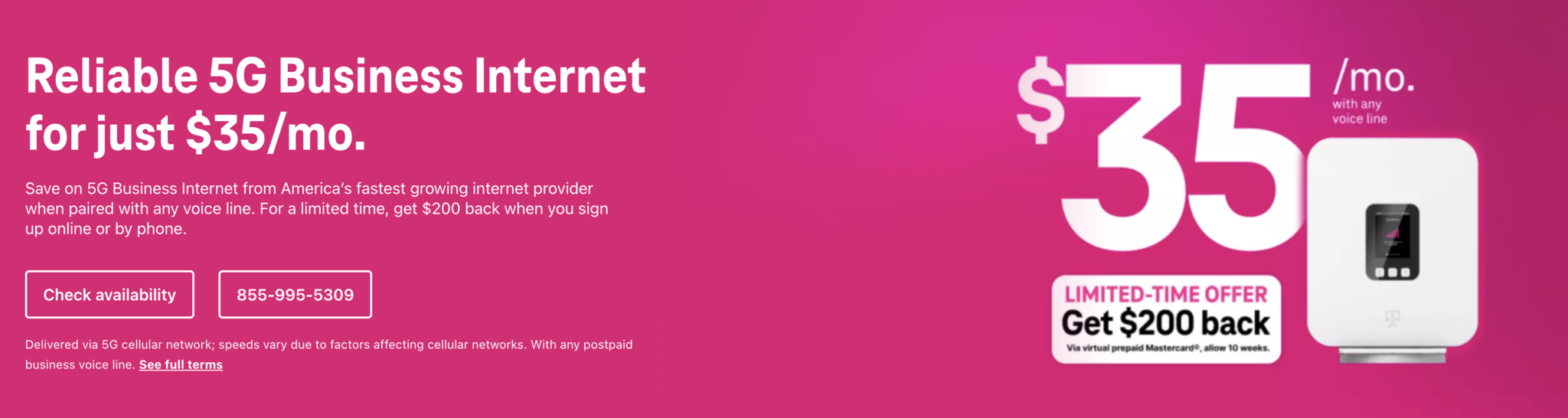
Note 1: The above ad is misleading. It's $35/mo if you get a phone line too; $60/mo for just Internet.
Note 2: We've seen murmurs of 100% uptime, which sounds weird when even cloud providers like Amazon's AWS talk in terms of 99.9999% uptime.
Conclusion
As always, we're here to help. If you are worried about the lack of offline mode or want some help choosing between the above options, just reach out. Email support@getrundoo.com, call (650) 334-3205, or message us through the app.
Find out what Rundoo can do for your business
Learn how Rundoo can help you save time, money and hassle running your business.
Book a demo